Implementing Survey in Qualtrics
Step 1: Creating Survey Blocks
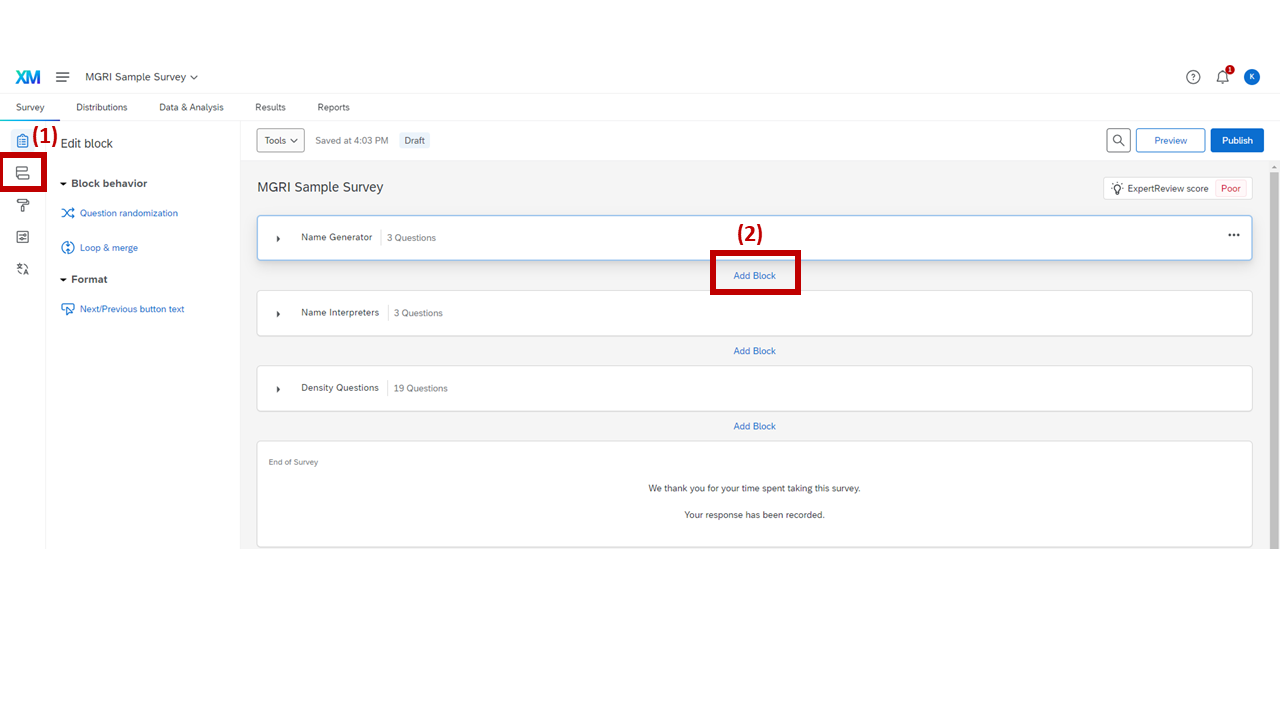
Qualtrics Survey Flow showing the three survey blocks
1
After creating a new survey in Qualtrics, go to Survey > Survey Flow (highlighted button).
2
Click "Add Block" and add three blocks. Name these blocks:
- Name Generator
- Name Interpreters
- Density Questions