Step 6: Creating Name Interpreters for the Sample List
Creating Q7_NI_relationship and Q8_NI_gender
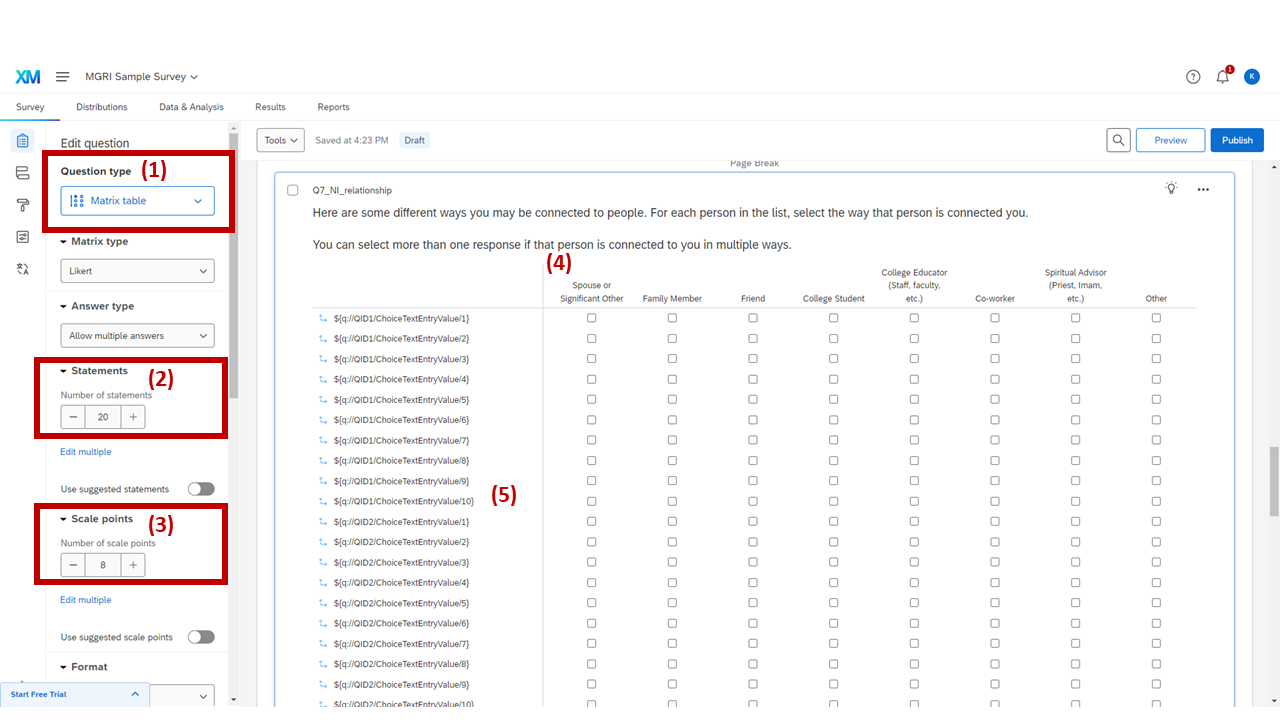
Name interpreter question (Q7_NI_relationship) — Matrix table setup
Now that we've created the function for generating a sample list, we're going to make name interpreters (follow-up questions on each sampled alter). In this sample survey, there are only two name interpreters (Relationship Type, Gender Identity). Of course, you can change this part to be aligned with your research objectives. See [cite] for reviewing name interpreters used in previous studies.
Create a question and set the question as "Matrix table."
Set up the number of statements as 20.
Again, this number should be equal to the total number of available fields (boxes) in the name generators.
Set up the number of scale points.
Write the prompt and scale point options.
This sample question asks respondents to select types of relationships with each alter.
Insert choice text to be each available field in the name generator (See Step 3-(5) or Step 5-(3)-1) and set up the choice display logic.
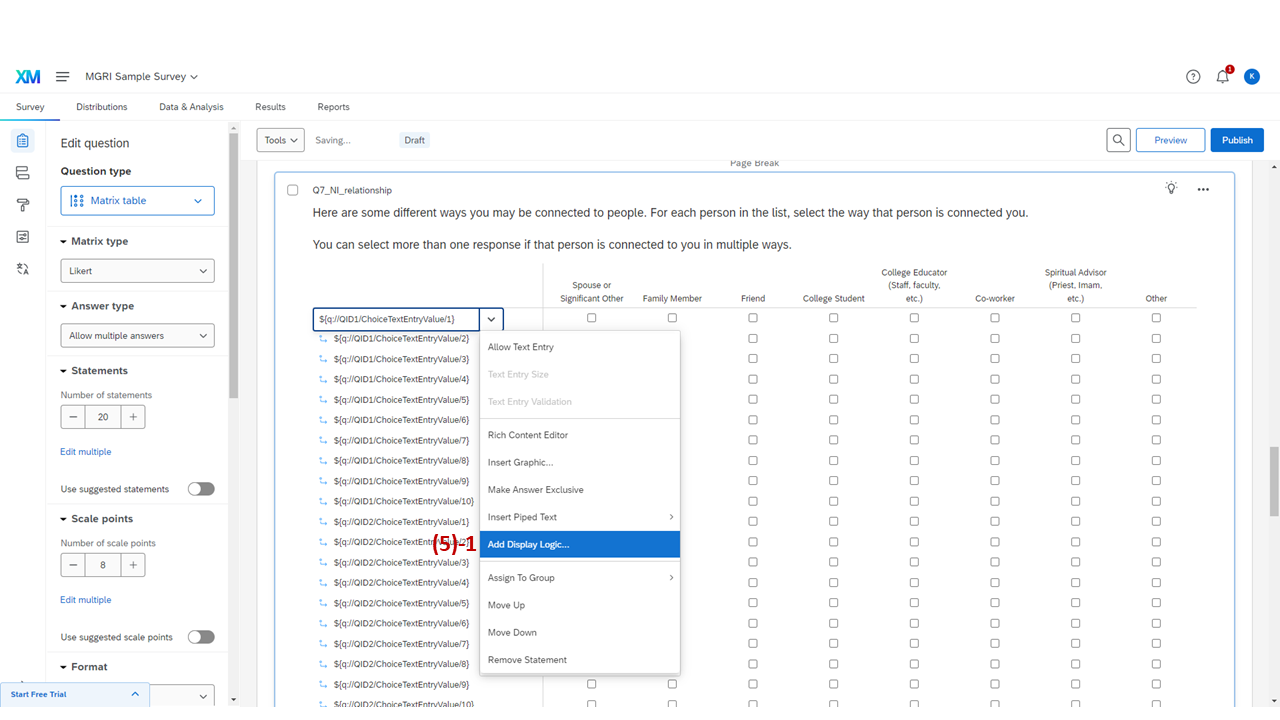
Opening "Add Display Logic" for a statement row in the name interpreter
Click "Add Display Logic…"
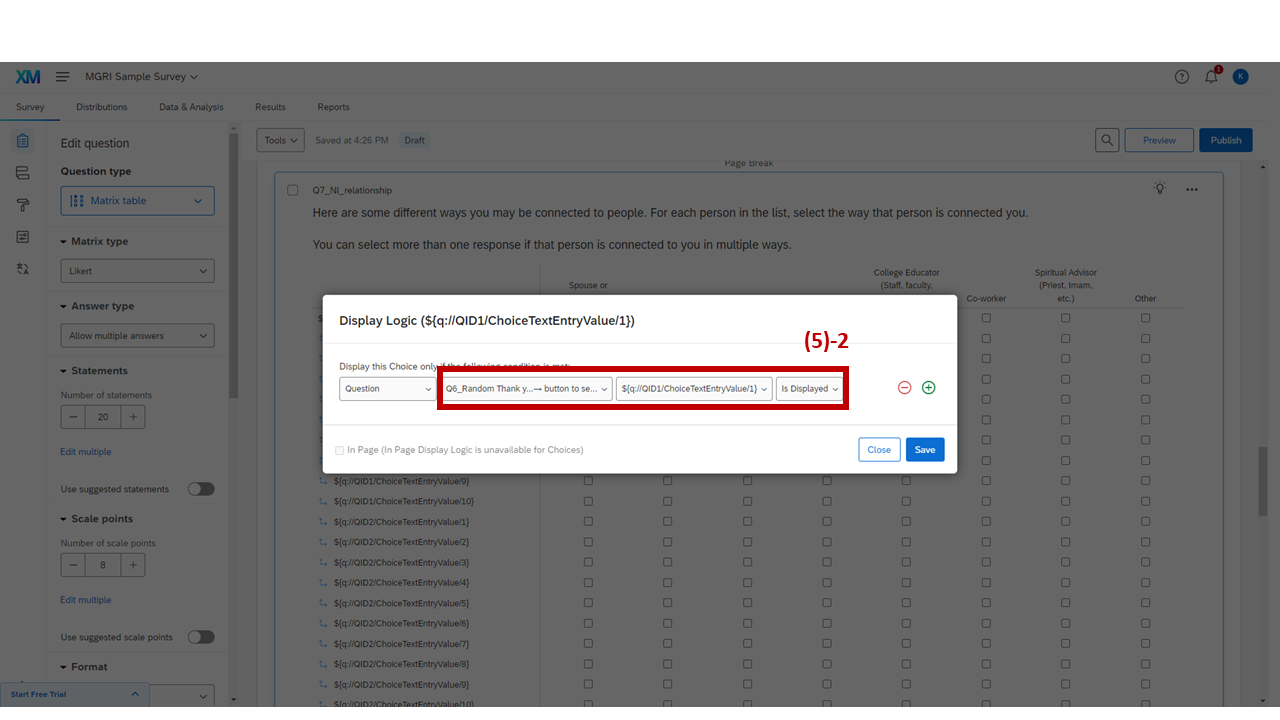
Display logic for the name interpreter — referencing Q6_Random with "Is Displayed" condition
Set up the display logic to refer to (1) the randomizer question (here, Q6_Random), (2) each available choice in the random sampling question, and set the condition to be "Is Displayed."
This way, only the names displayed in the randomizer (in other words, names randomly sampled in the randomizer question) will be displayed in the name interpreters. Apply this logic to all the available choices in the interpreter questions.